


Timestamp Drift and Context Loss When Reviewing Long-Form Audio Transcripts
Timestamp Drift and Context Loss in Long Recordings
Anyone who has reviewed a two-hour interview, a product demo recording, or a multi-speaker research session knows the core problem: a raw transcript is a wall of text. Once you scroll past the first few minutes, you lose the mapping between what was said and when it was said. If a teammate asks "where did the client mention the budget constraint," you either re-listen to the whole file or grep through a text dump that has no reliable anchor points.
The constraint here isn't transcription accuracy in the narrow sense — most modern speech-to-text engines handle clean audio reasonably well. The constraint is review ergonomics: how do you keep quotes, decisions, and topic shifts addressable after the fact, without building a custom annotation tool for every project. This matters for QA workflows, campaign testing, and any process where a transcript feeds into a decision log rather than sitting as a static artifact.
A second constraint is tooling variance. Teams often pull audio from different sources — recorded calls, video exports, voice memos — and each source has different noise profiles and speaker counts. A workflow built around one narrow input format breaks quickly.
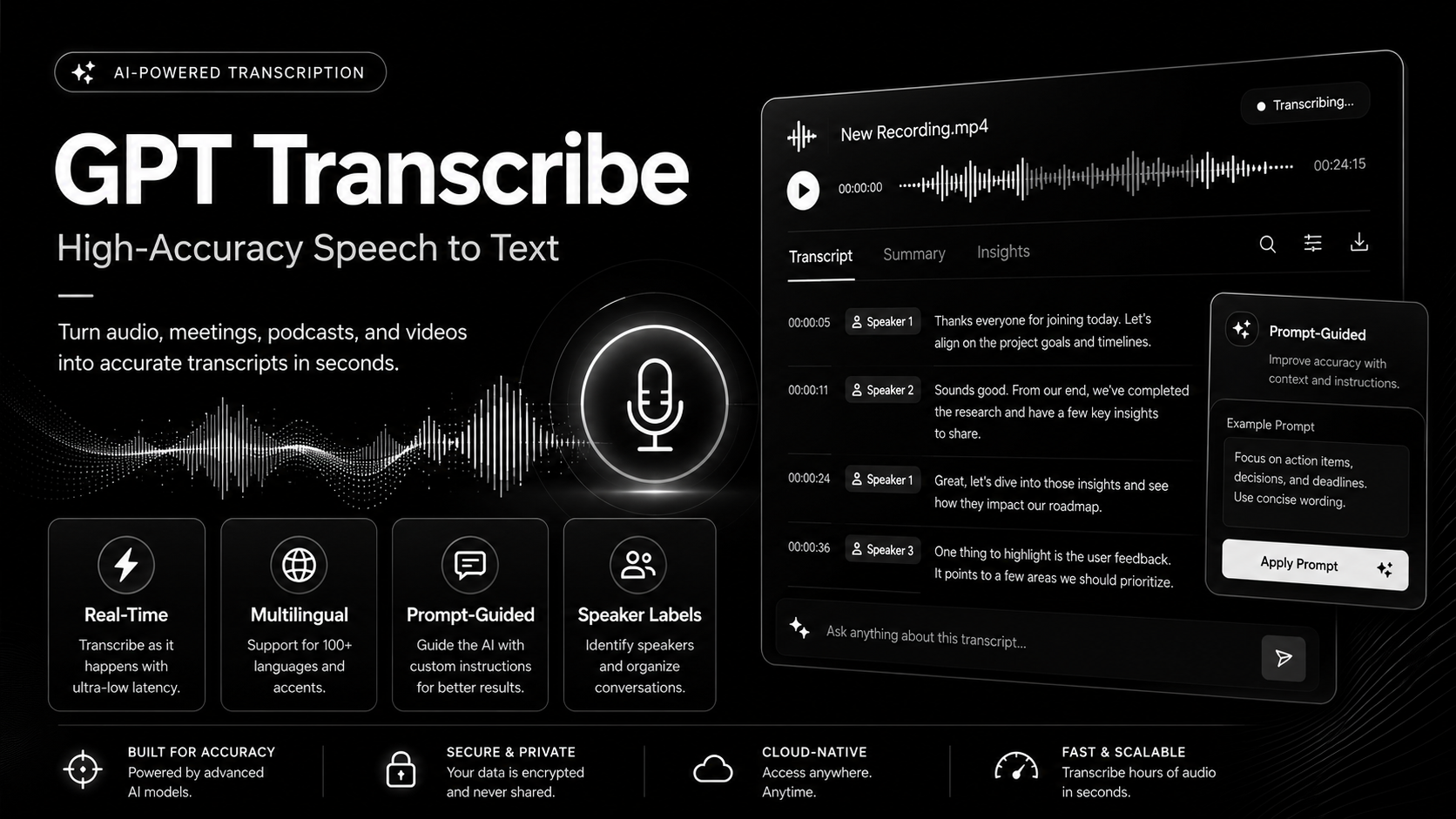
Official GPT Transcribe product preview used as visual context for the review workflow.
Segment-Level Anchoring vs. Full-Text Diffing
The naive fix is to dump the transcript into a shared doc and use Ctrl+F. This fails for two reasons. First, spoken language rarely matches the exact phrasing someone remembers, so text search misses paraphrased references. Second, full-text search gives you a match location in a string, not a position in the audio timeline, so you still have to manually scrub the recording to confirm context.
The alternative is segment-level anchoring: breaking the transcript into timestamped chunks (sentence or phrase-level) so that any quote, question, or decision point can be jumped to directly, in the source recording, rather than re-derived from surrounding text. This is a design tradeoff — finer segmentation improves navigability but increases the number of anchor points you have to maintain and verify against drift (segments getting silently merged or misaligned during export).
For teams testing audio concepts for campaigns, demos, or creator workflows, this anchoring step is what turns a transcript from a static file into something searchable and revisitable. According to the product page, GPT Transcribe is positioned around this use case — converting audio or video into a transcript intended for captions, notes, research, and content workflows, with segment-level navigation described as a way to jump back to a specific quote, answer, or topic change rather than scrolling linearly.
A Reusable Review Checklist for Transcript-to-Decision Workflows
Regardless of which transcription tool sits underneath, the review step benefits from a consistent checklist so that transcript QA doesn't depend on one person's memory of the recording. A minimal version looks like this:
transcript_review_checklist:
  input:
    - confirm source format (audio/video) and duration
    - confirm speaker count matches expected participants
  segmentation:
    - verify segments align to natural pauses, not fixed time slices
    - spot-check 3 random segments against the raw audio timestamp
  anchoring:
    - confirm each decision-relevant quote has a jumpable timestamp
    - flag segments where speaker attribution is ambiguous
  searchability:
    - test keyword search against known phrases from the recording
    - test paraphrase search (concept, not exact wording)
  export:
    - confirm caption/subtitle export retains timing offsets
    - confirm notes/research export retains segment boundaries
This isn't a test script in the software sense — it's a review protocol. The point is to make transcript QA repeatable across recordings instead of ad hoc per project.
Verification and Failure Branches
Verification here has two layers. The first is mechanical: does the transcript's timestamp metadata still line up after export, re-upload, or format conversion? Drift often appears exactly at these boundaries, not during initial generation. The second layer is semantic: does the segmentation actually correspond to meaningful units (a full thought, a speaker turn) rather than arbitrary time slices that cut sentences in half.
Common failure branches worth planning for:
- Overlapping speech in multi-speaker recordings producing merged or misattributed segments.
- Background noise or music causing false segment breaks.
- Export formats (SRT, plain text, JSON) losing timestamp precision differently, which matters if downstream tooling expects a specific granularity.
None of these are unique to any single transcription tool — they're inherent to converting continuous audio into discrete, addressable text. Any workflow that treats transcript output as "final" without a verification pass is deferring the cost, not avoiding it.
Tradeoffs and Restrained Conclusion
Segment-level anchoring and searchable transcripts solve a real review problem, but they add a maintenance surface: more metadata to keep consistent across edits, exports, and tool changes. For short recordings or single-speaker notes, this overhead may not be worth it — a flat transcript is fine. For longer sessions feeding into decisions, campaigns, or research synthesis, the anchoring cost is usually smaller than the cost of re-listening to hours of audio to locate one quote.
A transcript generator is one component in this pipeline, not the whole workflow. The checklist above is meant to sit around whatever tool produces the transcript, so that review quality doesn't depend entirely on the underlying model's segmentation defaults. Tools that expose per-segment timestamps and export options, such as the one described on the GPT Transcribe product page, make that anchoring step easier to build on top of — but the review discipline still has to be maintained by the team, not assumed from the output alone.
All rights reserved